
The digital progress card. You talk, Glenn fills it in.
After the lesson, you say how it went. Glenn prepares the lesson review and the scores per skill; you check them and save. Your student sees their progress in the app, and the plan for the next lesson builds on it.
- No subscription: €0.30 per lesson hour given, incl. VAT
- First 2 months free

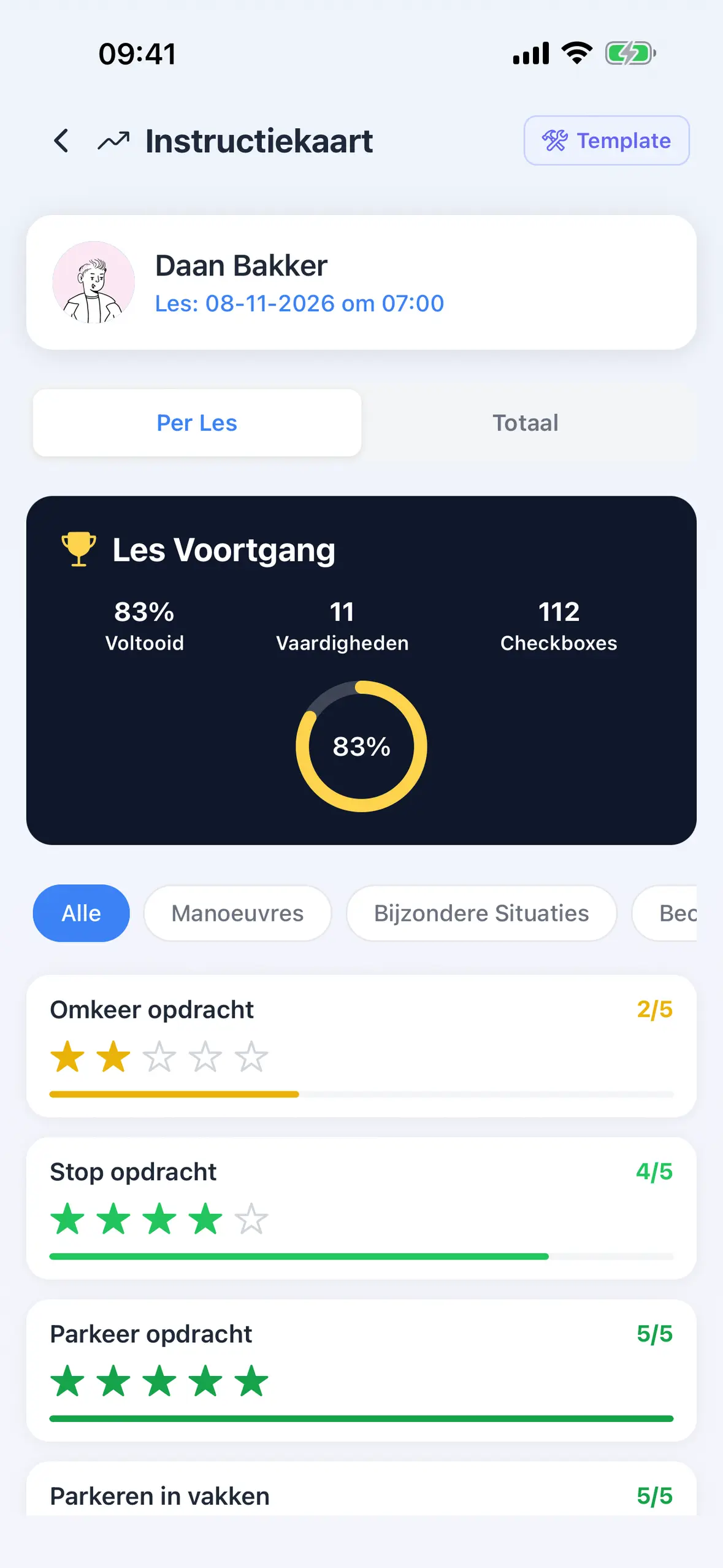

Everything the paper card has, and what paper cannot do.
-
A score per skill
After each lesson you score the skills you practised from 1 to 5. The card has 27 of them, from moving off and stopping to driving a route on your own.
-
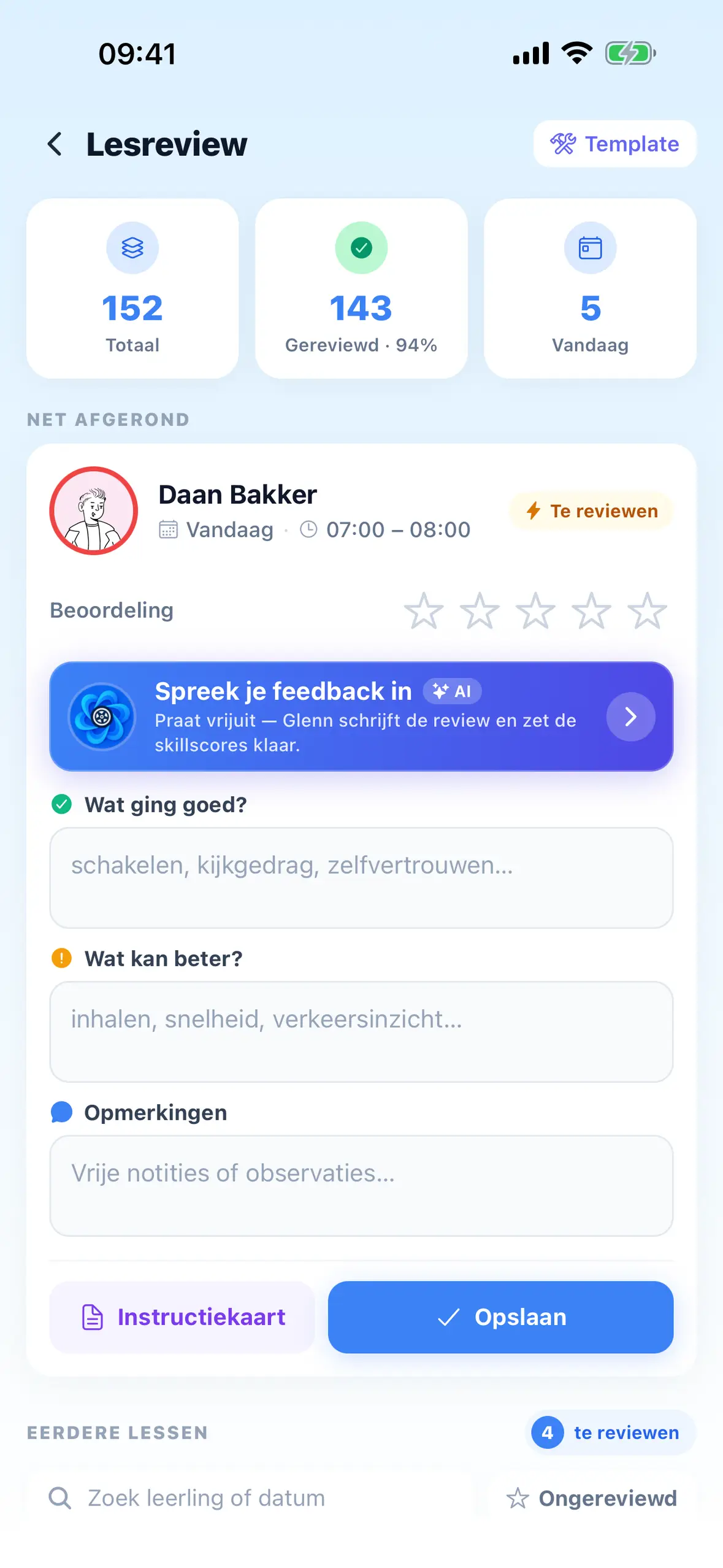
Speak instead of type
After the lesson, you say how it went. Glenn turns it into a draft lesson review with the scores per skill. You check it, change what you want and save.
-
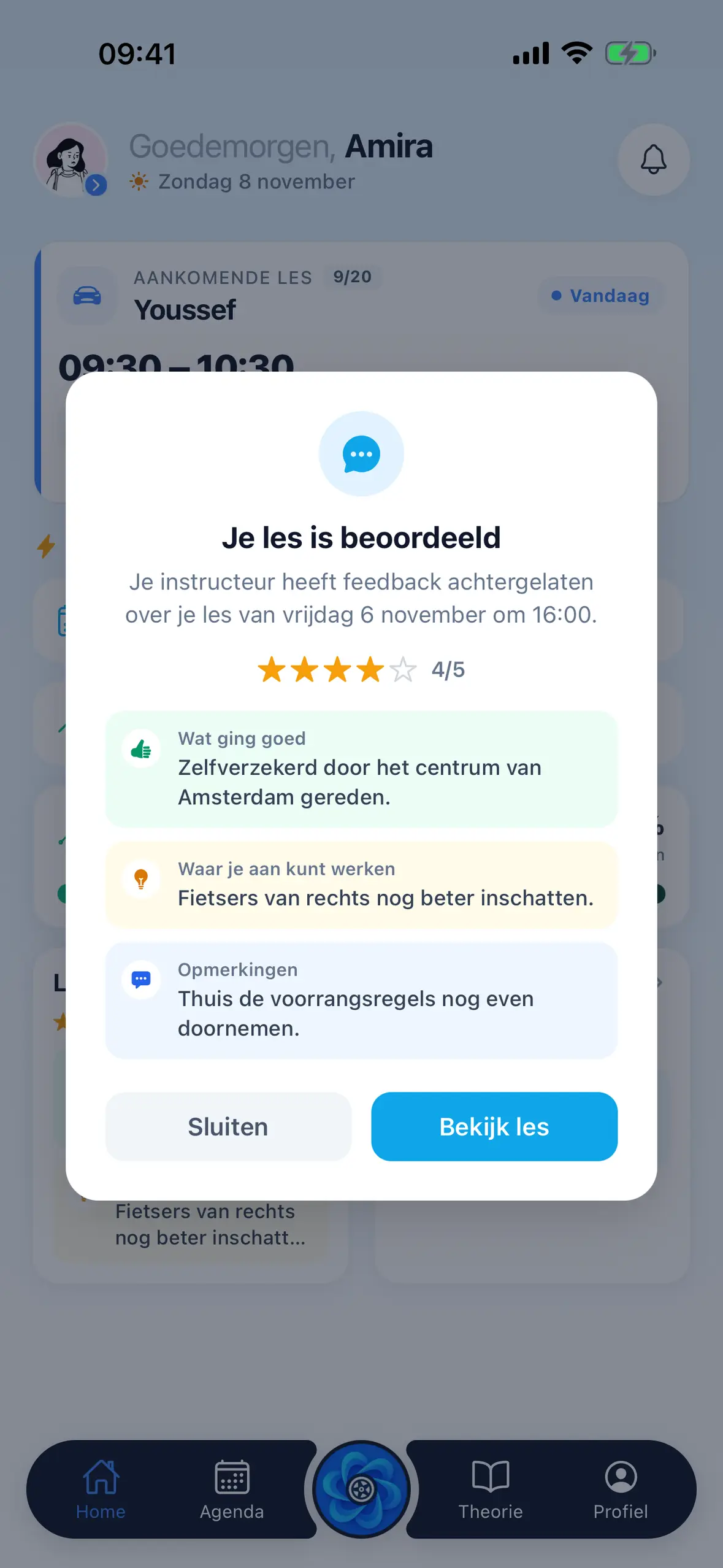
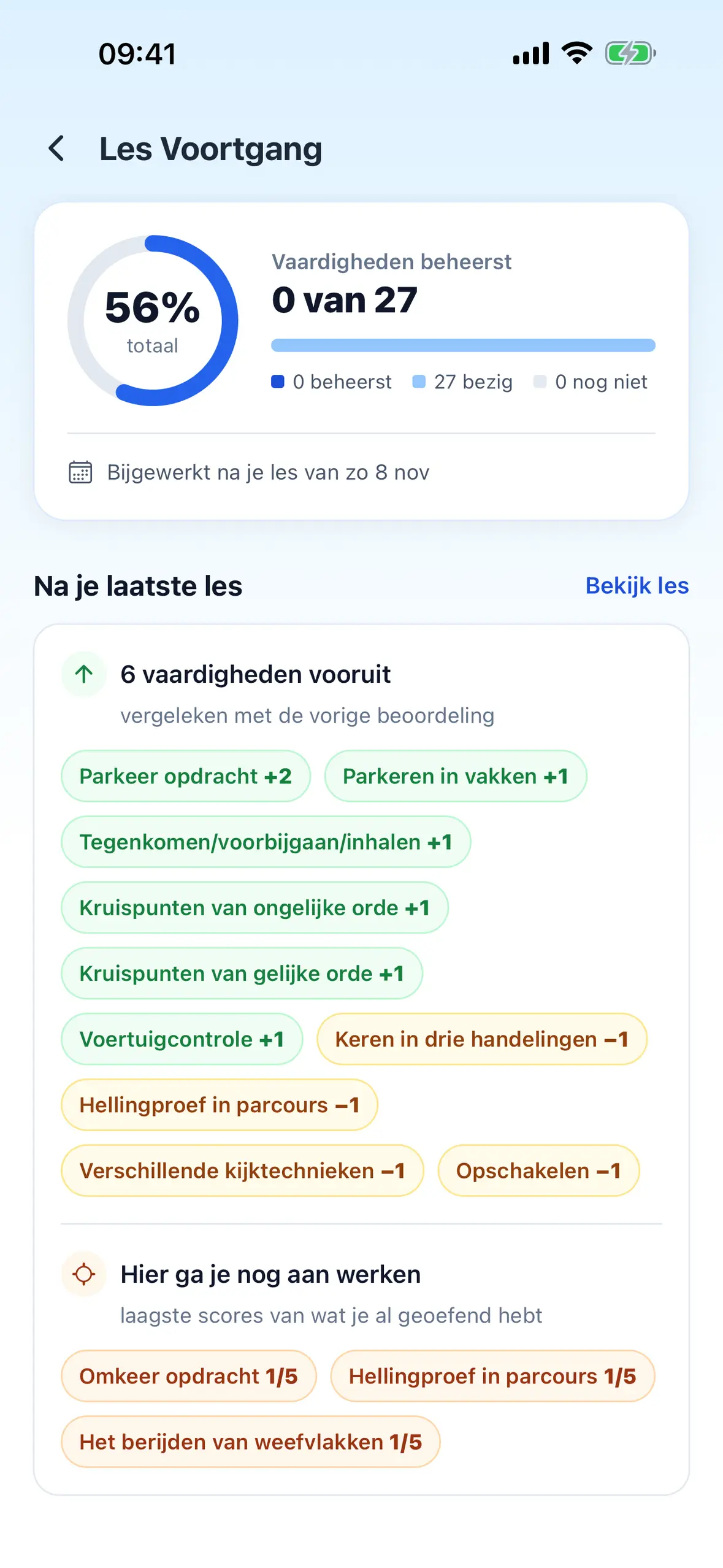
Your student sees it too
Your student gets a notification that the lesson has been reviewed, with what went well and what to work on, and sees their progress per skill in their own app.
-
The next lesson builds on it
Before the lesson, Glenn prepares a lesson plan based on the previous lessons. What to focus on today, what went well and what could be better.
-
Nothing gets lost
No card left behind in the car. Every lesson is kept with its date under your student, and you see all your students and their progress in one list.
-
Nothing without you
Glenn only prepares the review. It goes on the card, and your student sees it, once you tap save.
About the digital progress card.
What is a digital progress card?
The card you use to track, lesson by lesson, what your student can already do, but in the app. A score from 1 to 5 per skill, with the lesson review alongside, and progress across all 27 skills.
Do I have to type everything?
No. After the lesson you say how it went, and Glenn prepares the review and the scores. You change what is not right and save. Nothing is saved without your tap.
Does my student see the card?
Yes. Once you save, your student gets a notification that the lesson has been reviewed, with what went well and what to work on. Their own app shows their progress per skill.
How do I get my students on it?
With your link code, a code of 6 characters. The link code screen has a ready-made message with the download links and your code, to send by WhatsApp, text or email.
What does it cost?
No subscription and no separate price for the progress card. You pay €0.30 per lesson hour given with your own students, incl. VAT, and nothing for the first 2 months.
Try the progress card at your next lesson.
Free on the App Store and Google Play. No subscription: €0.30 per lesson hour given, incl. VAT, and nothing for the first 2 months.